Canonical Tag in WordPress: When to Use It (and When Not To)
Canonical Tag in WordPress: Prevent Duplicate Content & Boost SEO

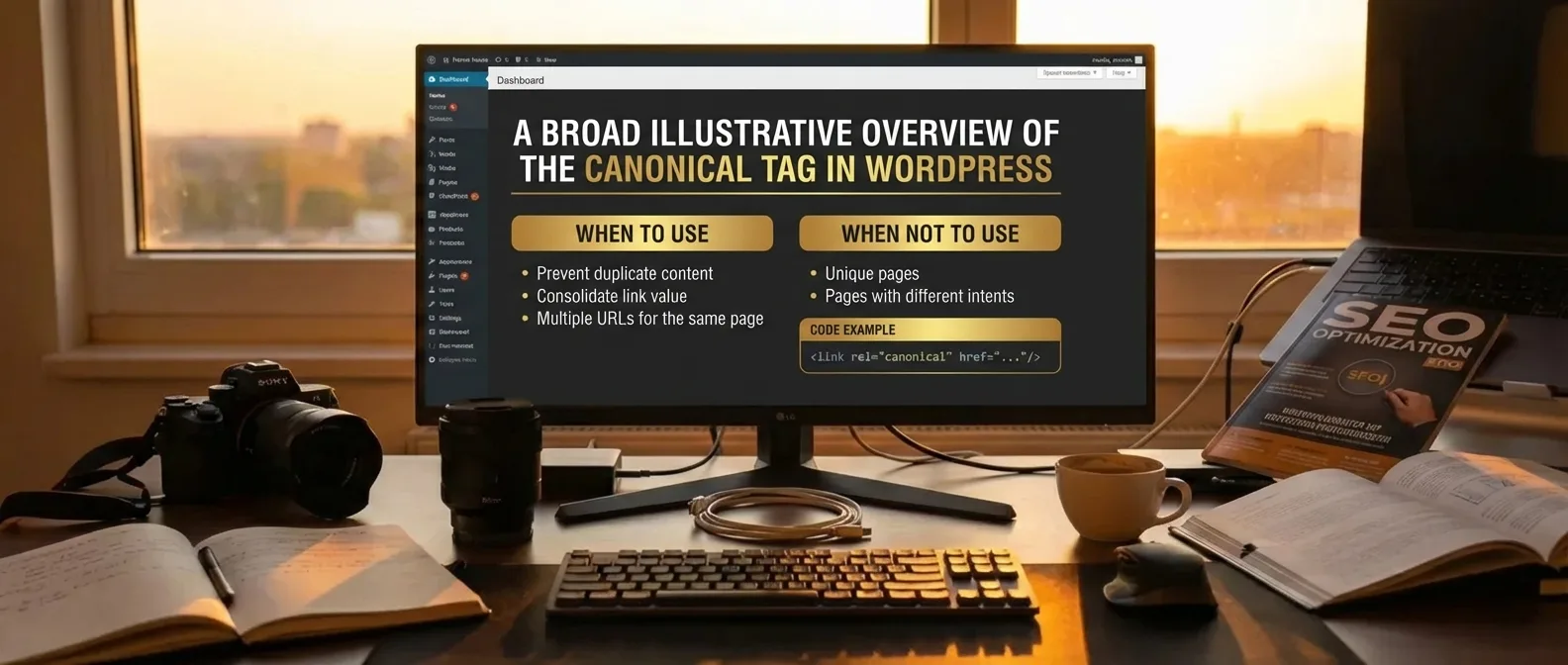
The canonical tag in WordPress: when to use it (and when not to) is crucial for guiding search engines on duplicate content. Proper implementation allows you to consolidate authority on a single preferred URL, avoiding potential SEO penalties. Optimizing your site structure starts with making the right choices for indexation.
When should you apply this? Use the tag for product filters or URL parameters that display identical content. Avoid using it for unique pages that should rank independently. A strategic implementation offers several benefits:
- Directly prevent duplicate content issues.
- Consolidate link equity on the main preferred URL.
- Improve crawl efficiency for search engine bots.
- Apply advanced methods for complex e-commerce stores.
Without clear guidelines, search engines can get confused by identical pages, which can harm your rankings. The right approach ensures maximum visibility.
What is a Canonical URL and How Does it Work in WordPress?
A canonical URL is an essential HTML element that tells search engines which version of a page should be considered the original source. In the world of search engine optimization (SEO), correctly setting a canonical tag in WordPress—knowing when to use it and when not to—is crucial for preventing duplicate content issues. When multiple URLs display similar content, Google can get confused about which page should appear in search results. By designating a preferred version, you consolidate authority in one central place, which improves your website's search visibility.
Technical Functionality within the WordPress Ecosystem
WordPress often generates different URL structures for the same content through categories, tags, or pagination, making a robust canonical tag strategy indispensable.
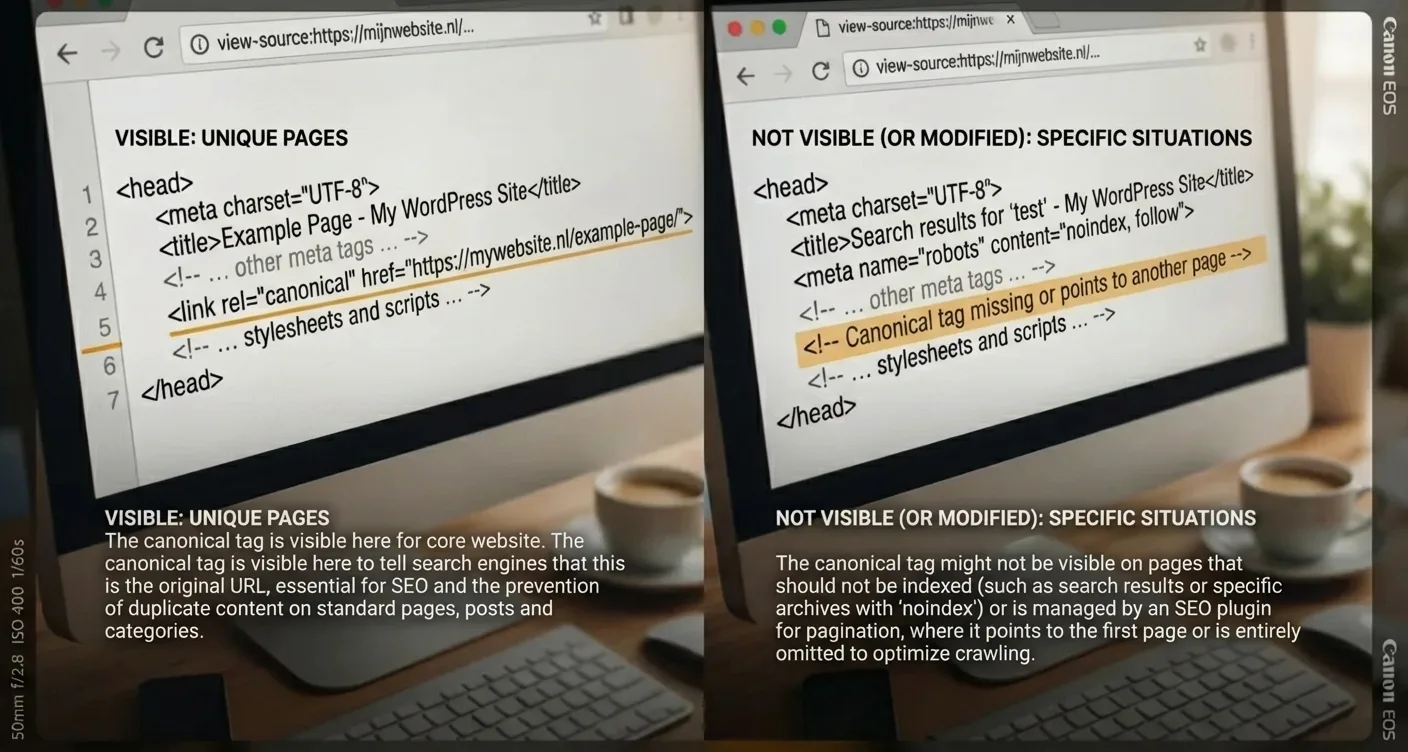
Typically, plugins like Yoast SEO or Rank Math automatically handle this process by placing a rel="canonical" link in the <head> section. Understanding the logic behind canonical tags in WordPress—when to use them and when not to—helps you correct manual errors with complex parameters.
"Using canonicals is not an obligation, but a strong suggestion to search engines to ensure proper page indexation."
- When using HTTP and HTTPS variants.
- When products are listed in multiple categories.
- When publishing advanced canonical tag guides for WordPress on external platforms.
It's important to note that a decision regarding canonical tags in WordPress—when to use them and when not to—directly impacts how link equity is distributed. For more in-depth information, you can consult the Google Search Central documentation.
Canonical Tag in WordPress: When to Use It and When to Avoid It?
Correctly implementing a canonical URL is essential. When making decisions about canonical tags in WordPress—when to use them and when not to—you must understand that this tag tells search engines which version of a page should be considered 'original'. This is crucial for e-commerce sites where products appear in multiple categories. Without this guidance, Google might index different versions of the same content, leading to internal competition and a deterioration of your rankings.
When is a Canonical Tag Necessary?
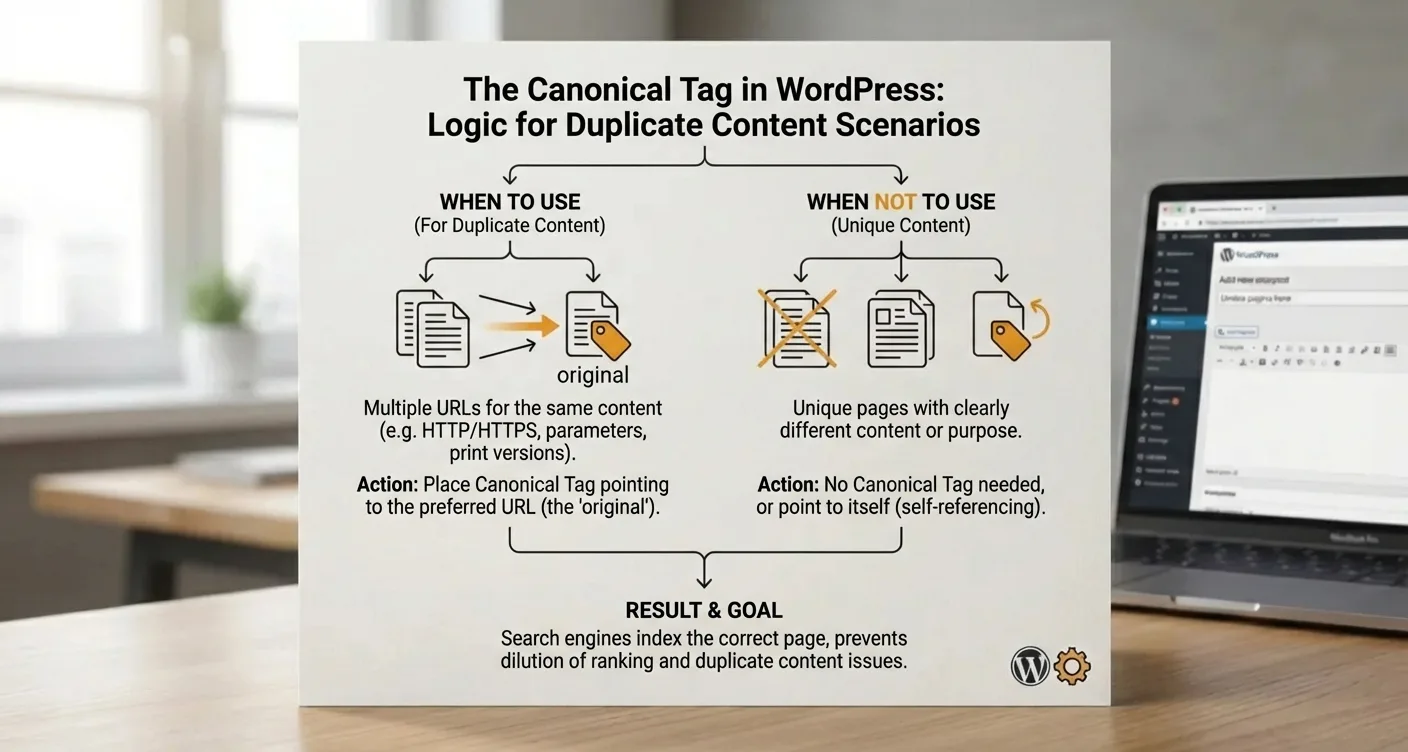
Always use the tag for duplicate content, such as print-friendly pages or sorting filters. In practice, this helps to consolidate link equity on one specific URL.
"A misplaced canonical tag can cause important pages to completely disappear from search results, so precision is required."
There are situations where it's better to avoid using the tag. For unique content that isn't a copy, an extra canonical reference often adds confusion. Also, for paginated series, it's unwise to point all pages to the first page; this blocks the indexation of older articles. Understanding the advanced strategy for canonical tags in WordPress—when to use them and when not to—is crucial here. For more details, you can consult the Google Search Central documentation.
Systematically applying the canonical tag in WordPress guide for webmasters (when to use it and when not to) prevents error messages in Search Console. Therefore, regularly check that your WordPress SEO settings are still correctly configured.
Step-by-Step Guide to Setting Up Canonicals with SEO Plugins
Configuring a canonical tag in WordPress—knowing when to use it and when not to—is essential. Popular plugins like Yoast SEO or Rank Math typically add a self-referencing canonical tag to every page by default. This prevents search engines from getting confused by URL parameters that could lead to duplicate content. If you want to manually designate a different source, open the advanced settings of the plugin under the specific post or page. Here, you enter the desired URL to correctly pass authority to the main page you want to rank.
A canonical tag in WordPress—when to use it and when not to—determines whether search engines consider your content unique or a copy.
Manual Adjustments in the Editor
In practice, you follow this process: open the relevant page or post, navigate to the SEO section, look for the 'Advanced' tab, and enter the 'Canonical URL' there. This is crucial for product pages that appear in multiple categories. Remember that setting up a correct canonical tag in WordPress for e-commerce stores helps eliminate internal competition between similar URLs.
- Verify that the plugin automatically generates self-referencing canonical tags for standard posts and pages.
- Only use manual overrides for pages with more than eighty percent identical text.
- Verify the implementation via Google Search Console to prevent indexing errors.
Consistently applying the canonical tag in WordPress strategy—knowing when to use it and when not to—protects your website against unnecessary duplicate content penalties.
An incorrect canonical tag configuration in WordPress can lead to pages disappearing from the index.
Always critically review the guidelines for canonical tags in WordPress—when to use them and when not to—when publishing new content.
Correctly setting the canonical tag in WordPress—knowing when to use it and when not to—is crucial for a healthy SEO strategy.
By implementing these tags intelligently, you prevent search engines from getting confused by duplicate content. Proper implementation ensures that the correct page receives full authority, contributing to higher positions in search results.
Do you want to maximize your organic visibility and avoid technical errors? Check your most important pages today with an SEO plugin or manual inspection to ensure the references to original sources are correct. Start optimizing your site structure immediately and ensure your content gets the recognition it deserves.
Frequently Asked Questions
What exactly is a canonical tag?
A canonical tag is an HTML element that tells search engines which version of a page should be considered the original source. It helps prevent duplicate content issues by directing SEO value to the preferred page.
How do I set up a canonical tag in WordPress?
In WordPress, you can easily do this via an SEO plugin like Yoast SEO or Rank Math. When deciding on the canonical tag in WordPress—when to use it and when not to—simply enter the desired URL in the advanced settings of the specific page or post.
Why are canonical tags important for SEO?
It is crucial because it prevents search engines from getting confused by identical content on different URLs. By making the right choices regarding canonical tags in WordPress—when to use them and when not to—you ensure that only the most important page is indexed and ranked.
When should I not use a canonical tag?
You should not use a canonical tag if two pages are entirely different in content and both should appear separately in search results. Only use them when there is (almost) identical content where one page has a clear preference.
How SEO Supercharged helps you here
SEO Supercharged is fully online (service area: worldwide, online), so you can use it from anywhere.
The platform is built for WordPress Developers, SEO Specialists, E-commerce Business Owners, Content Managers, Affiliate Marketers, Marketing Agency Owners, Junior SEO Consultants, Freelance Copywriters, E-commerce Store Managers.
You can use it for, among other things, WordPress Canonical Audit, Duplicate Content Analysis & Recovery, SEO Plugin Configuration Service, E-commerce Canonical Optimization, Custom Canonical Implementation, WordPress SEO Troubleshooting, Content Consolidation Consulting.
Want to tackle this directly? Plan your structure with the Sitemap Architect, or start a free SEO analysis.
Related articles
- WordPress Pillar Content: The Complete Guide to Categories, Canonicals, and Internal Linking
Discover how to build a robust WordPress pillar content strategy using categories, canonicals, and internal links to boost your Google rankings and AI.
- Mastering Internal Linking: Pillar and Cluster Strategy for SEO
Learn the best internal linking strategy for pillar and cluster content with examples. Instantly boost your SEO structure, domain authority, and organic.
- Blog Category SEO: Naming, URL Structure, and Indexing Strategy
Master blog category SEO! Learn how naming, URL structure, and indexing boost traffic & rankings. Get expert tips to optimize your content hierarchy today.
- Internal Link Audit: Which Links Maximize Your SEO Value?
Discover how to conduct an internal link audit to identify high-value links, distribute SEO authority effectively, and boost your rankings. Read our guide!
- Sitemap Planning: How to Build a Content Map Before Publishing
Master sitemap planning to build a robust content map before publishing. Improve your SEO structure, prevent issues, and optimize your site for success.